Sign in with Google Using Your Existing Email
Having trouble logging in? If your TradePoint account is registered with a non-Gmail email address (Yahoo, Outlook, company email, etc.) and the "Sign in" button is not working, your email is not linked to a Google Account. There are two ways to fix this.
Why This Is Needed
TradePoint uses Google Sign-In for authentication. The sign-in button opens a Google popup that authenticates you via your Google Account. If your registered email address is not connected to a Google Account (e.g. yourname@yahoo.com or yourname@company.com), Google cannot authenticate you with that address.
Option A: Update Your Email Address (Recommended)
The easiest solution is to change your registered email to one that is already linked to a Google Account.
-
On the sign-in page, click "Update email" at the bottom of the card.
-
Follow the email change process — you will receive a one-time code to verify your current email, then enter a new email address that is associated with a Google Account.
-
Once the change is complete, return to the sign-in page and click Sign in to authenticate with the updated Google Account.
Option B: Create a Google Account with Your Existing Email
If you prefer to keep your current email address, you can create a Google Account that uses it. Google allows you to create a Google Account with any email address — not just Gmail.
Step 1: Create a Google Account with Your Existing Email
This is a one-time setup that takes just a few minutes.
-
Go to the Google Account sign-up page: accounts.google.com/signup
-
Enter your First name and Last name
-
Important: When asked for an email address, click the link that says "Use your existing email"
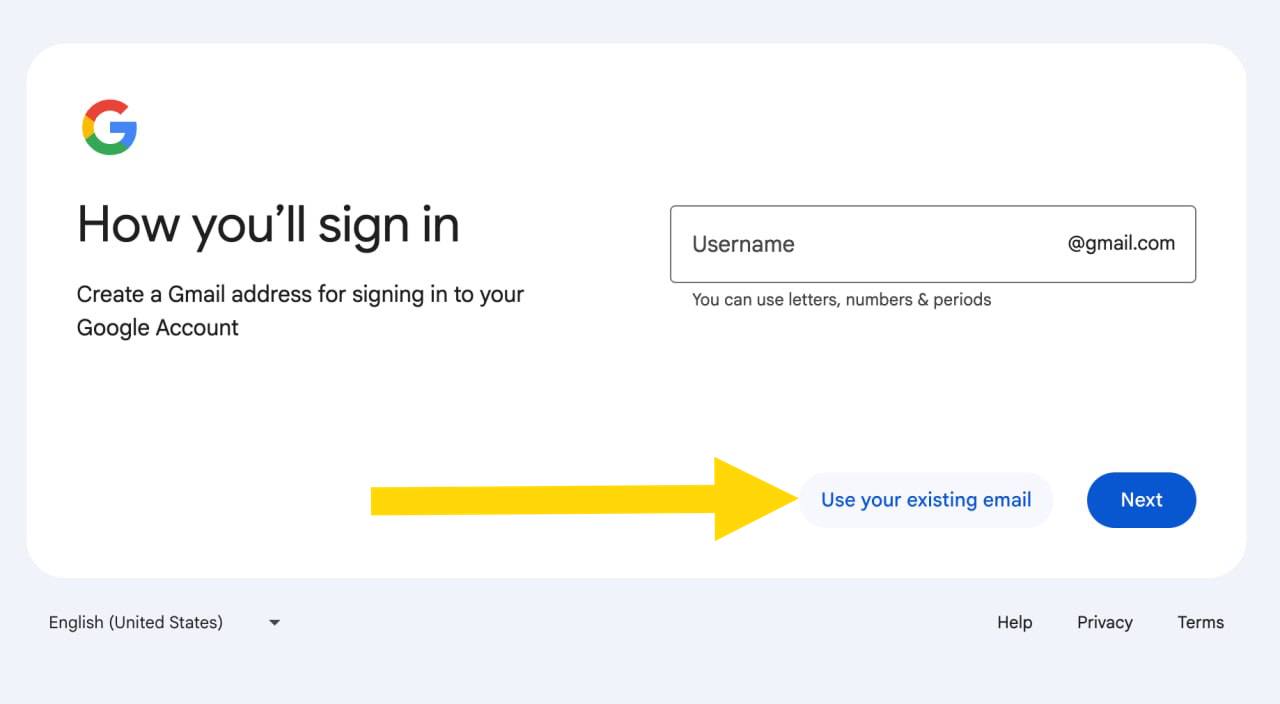
-
Enter your existing email address (e.g.,
yourname@yahoo.comoryourname@outlook.com) -
Create a password for your new Google Account
-
Google will send a verification code to your email inbox. Check your email and enter the code to confirm
-
Complete any remaining setup steps Google presents
Your existing email is now linked to a Google Account.
Step 2: Sign in to TradePoint
Now you can use the Sign in button on TradePoint:
-
Go to the TradePoint login page
-
Click Sign in
-
A Google popup will appear — select the account associated with your existing email address
-
Complete authentication in the popup
-
You are now logged in and will be redirected to your dashboard
Tips for Security
- Enable Two-Factor Authentication on your Google Account for extra protection
- TradePoint also supports its own two-factor authentication (authenticator app) — enable it in your account settings
- Keep your Google Account password secure and unique
- If you lose access to your email, use Google's account recovery options or contact TradePoint support to update your email
Frequently Asked Questions
Q: I clicked "Sign in" but nothing happened or the popup closed immediately. Why? A: Your browser may be blocking popups. Allow popups for this site in your browser settings. In Chrome, click the popup-blocked icon in the address bar and select Always allow pop-ups from this site, then try again.
Q: I see an error saying "Email not found". What does that mean? A: The Google account you selected is not linked to any TradePoint profile. If you registered with a wallet address, use the Sign up button (MetaMask icon) on the login page to activate your account first. If you registered with an email, make sure you are selecting the correct Google account associated with that email.
Q: Will creating a Google Account with my existing email create a new Gmail inbox? A: No. Your existing email remains your primary inbox. You are simply creating a Google Account that uses your existing email address for sign-in purposes.
Q: Can I use my work email? A: Yes, as long as you can receive verification emails at that address and that email is the one registered with TradePoint.
Q: What if I already have a Gmail account? A: You need to use the email address that was registered with your TradePoint account. If that is a non-Gmail address, follow Option A or Option B above.
Q: I forgot my Google Account password. What do I do? A: Visit accounts.google.com/signin/recovery to reset your password.
Need more help? Contact your system administrator or reach out to our support team.